
VetVanta Resolve · United Kingdom
Know when your stock and your system disagree.
Resolve compares your counts with the system's figures, follows transfers between sites and departments, and flags stock that is short or close to expiry, then tracks each problem to a close.
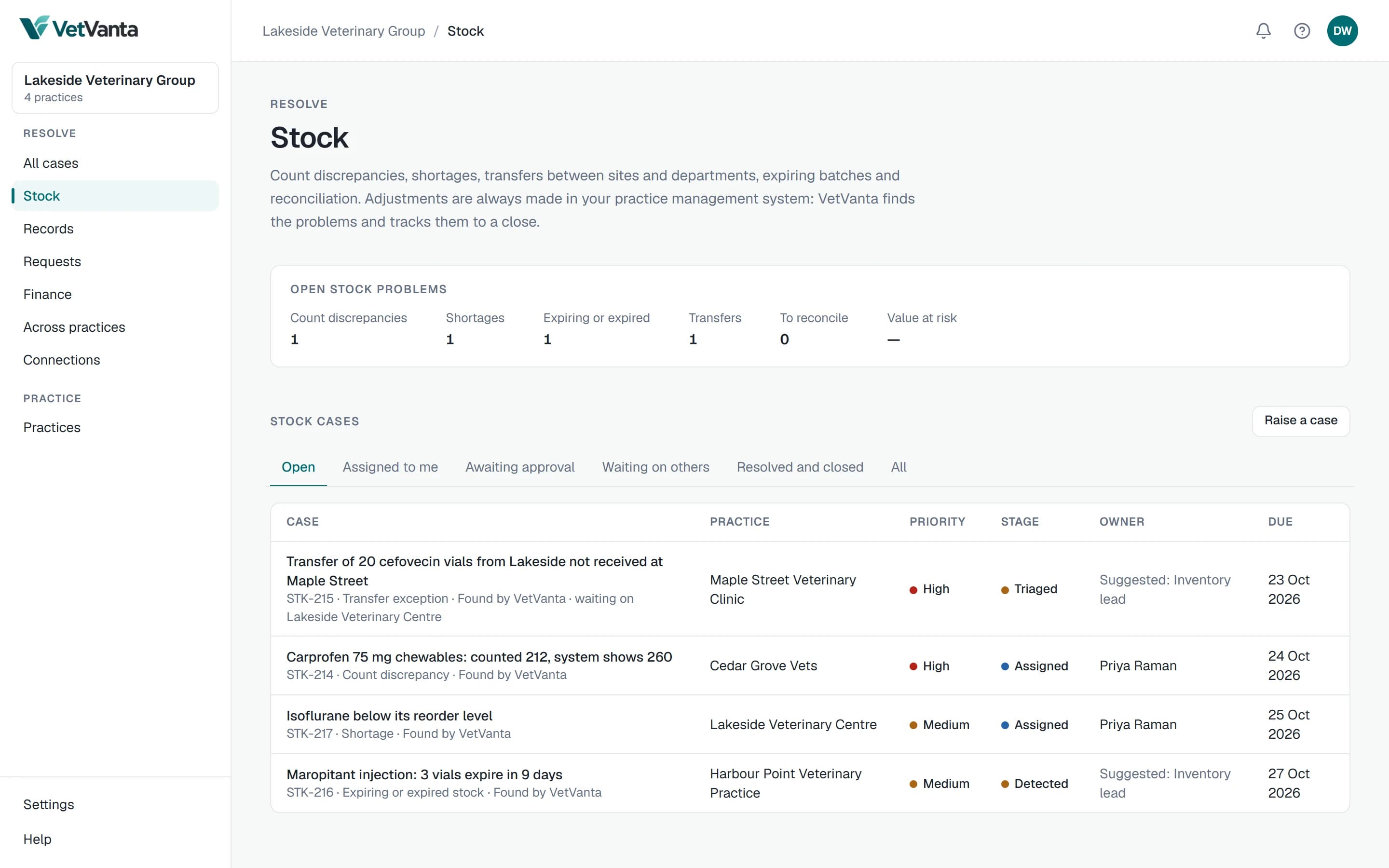
Resolve Stock with an invented four-practice group, in GBP.
What it finds
Does our stock match what the system says, and is anything short, stuck or expiring?
Count discrepancies
A count that does not match the figure in your latest stock report.
Shortages
Items below their reorder level.
Expiring or expired stock
Batches close to or past their expiry date, from your batch and expiry report.
Transfers not received
Stock sent from one site or department that has not arrived at the other.
Items to reconcile
Differences that need checking before your figures can be trusted.
Where the information comes from
No integration project to start.
- Record counts and transfers in VetVanta
- Import the stock and batch or expiry reports your practice management system exports: columns are recognised by name
Uploads, imports, secure records links and email forwarding are being set up: VetVanta reads no file until its malware scanning is switched on. See the status of each route.
VetVanta only reads stock data: adjustments are always made in your practice management system. No practice management system is connected automatically yet; reports are imported from a spreadsheet.
Data intake and integrations →How each problem is resolved
- 01
Found
From a count, a transfer or the latest stock report.
- 02
Owned
A suggested owner, a person and a due date.
- 03
Adjusted
Your team makes the adjustment in your practice management system.
- 04
Closed
Resolved, with what was done recorded on the case.
One product
Every area is included in every plan.
See what Resolve finds, then decide.
VetVanta Resolve is not yet available to buy in the United Kingdom. Register your interest and we will tell you as soon as it is.