
VetVanta Resolve · New Zealand
Find the money your supplier paperwork leaves behind.
Resolve checks supplier invoices, credit notes and statements against your agreed prices, your deliveries and each other, and follows up the refunds you owe clients. Every amount comes with its calculation.
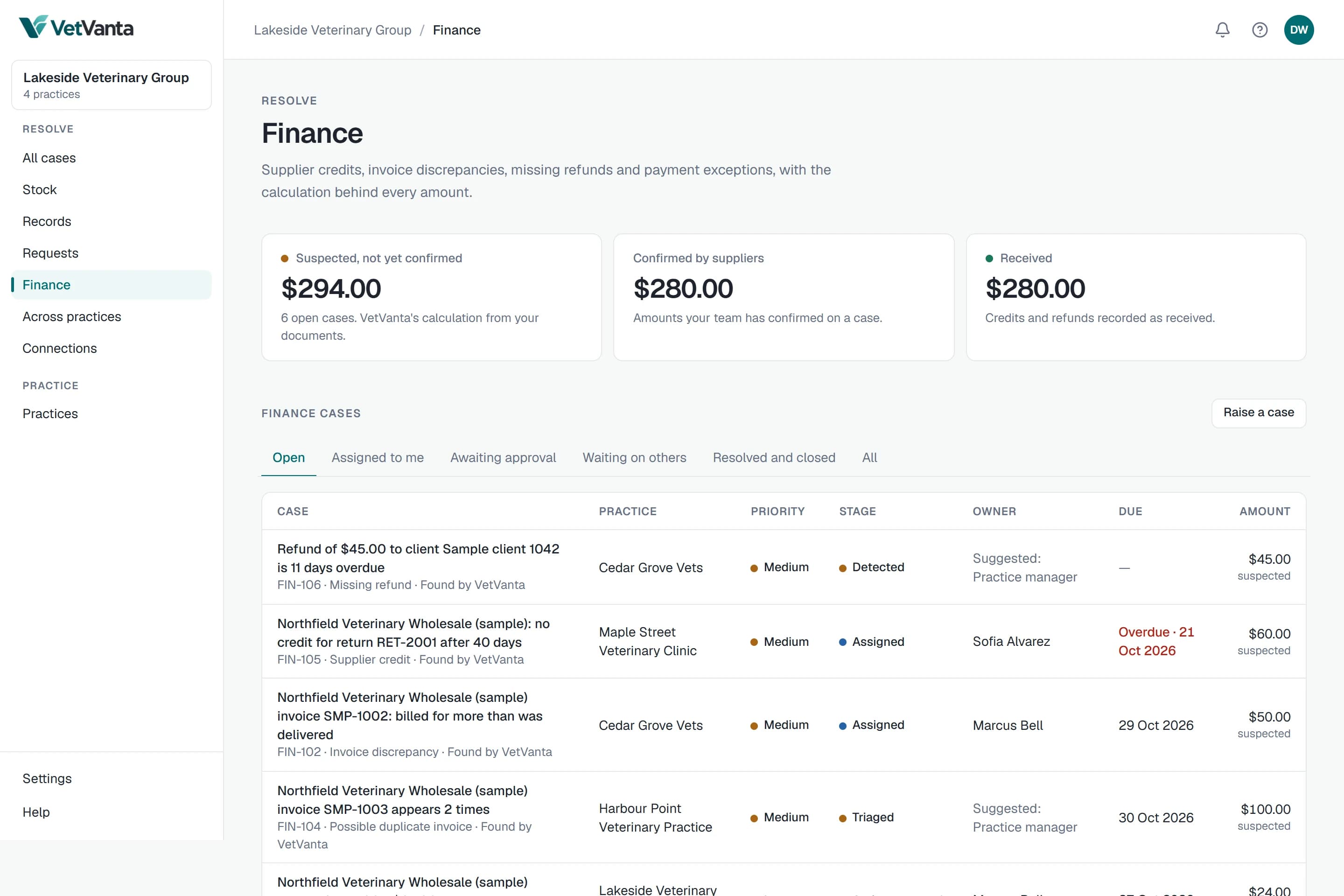
Resolve Finance with an invented four-practice group, in NZD.
What it finds
Are we owed money, or paying more than we agreed?
Invoices above the agreed price
Each line is compared with the price in your supplier agreement, line by line.
Billed for more than was delivered
Invoiced quantities are compared with what was delivered.
Totals that do not add up
An invoice whose total differs from the sum of its lines.
Possible duplicate invoices
The same invoice received more than once, held as a possible duplicate until your team decides.
Returns never credited
A return with no matching credit note after the time you would expect one.
Client refunds past due
Refunds your practice has promised to clients and not yet paid.
Where the information comes from
No integration project to start.
- Upload supplier invoices, credit notes and statements as PDF or spreadsheet
- Forward supplier emails to your finance address: attachments from senders you allow are read the same way
- Import supplier documents, agreed price lists and accounting exports from a spreadsheet
- Enter a document or a refund by hand
Uploads, imports, secure records links and email forwarding are being set up: VetVanta reads no file until its malware scanning is switched on. See the status of each route.
Accounting system connections are not available yet: use the exports your accounting system produces. VetVanta never makes or changes a payment.
Data intake and integrations →How each problem is resolved
- 01
Suspected
VetVanta's calculation from the documents, with the inputs and formula recorded on the case.
- 02
Queried
Draft a supplier query from the calculation. A person sends it.
- 03
Confirmed
Record the amount the supplier agrees.
- 04
Received
Record the credit or refund when it arrives, and close the case.
One product
Every area is included in every plan.
See what Resolve finds, then decide.
VetVanta Resolve is not yet available to buy in New Zealand. Register your interest and we will tell you as soon as it is.